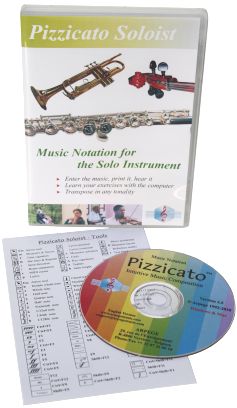
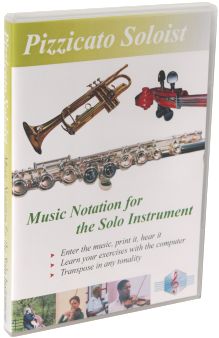
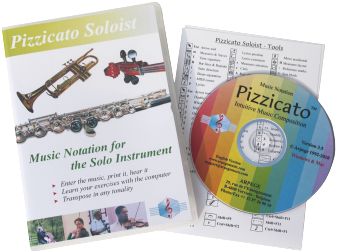
 Pizzicato Soloist
Pizzicato
Soloist contains all the tools you need to write music
for a solo instrument. Print nice solo sheet music,
whether for brass, woodwind, string instruments or any solo
instrument written on one staff.
- Everything
you need to write your own solo sheet music.
- An
extensive and easy to follow tutorial helps you mastering
every aspect of Pizzicato.
- Transpose
the score from one tone to another, just by changing the
key signature or by selecting an interval.
- Enter your
exercises and play them with the computer as a reference
for rhythm and pitch. You will improve quickly and enjoy
even more playing your instrument.
Description
1 - User
manual and tutorials
2 - Music
Notation
3 - Playback
of the score
4 - Your
advantages - Why choosing Pizzicato?
User Manual and Tutorials
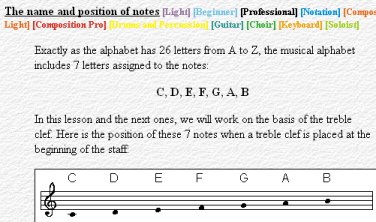 The detailed and
progressive tutorials help you to use the software.
The detailed and
progressive tutorials help you to use the software.
- Display the
on-screen contextual help with a single key.
- The
detailed music tutorial helps you to understand music
notation or review music theory.
- Exercises
wil help you to play simple music scores on a music
keyboard.
- Display the
note names automatically.
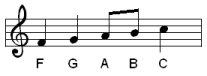
- Pizzicato
will help you to read a score. Sing or play your
instrument while Pizzicato is playing the score as a
reference for rhythm and pitch. Change the tempo
according to your progress.
Music Notation
Just like you
create a letter with a word processor, Pizzicato gives you the
tools to write, print and hear your music for the solo
instrument.
Entering Music
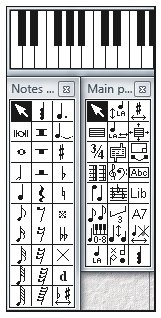 You can enter the
music with combination's of mouse clicks, tool palettes,
keystrokes, the virtual piano keyboard, the guitar fret
board window, or directly through a MIDI keyboard, step
by step or in real time.
You can enter the
music with combination's of mouse clicks, tool palettes,
keystrokes, the virtual piano keyboard, the guitar fret
board window, or directly through a MIDI keyboard, step
by step or in real time.
- The music
notation is automatically spaced correctly. You can then
zoom in and adjust any aspect of the music notation at
any time.
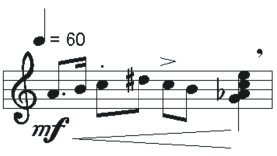
- You can add
accidentals, tuplets, chords as well as many other
standard or custom symbols and hear their influence on
the playback of the notes.
- Select
measures and use the copy/paste function, for instance to
duplicate measures or to transpose a melody without the
need to rewrite it manually.
- You can use
and manipulate up to 8 voices per measure.
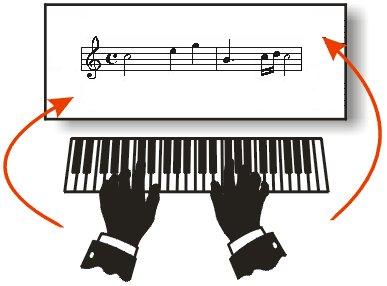 You can enter
music by playing the notes in real time at your tempo, on
a music keyboard connected through a MIDI interface (for
instance MIDI/USB interface).
You can enter
music by playing the notes in real time at your tempo, on
a music keyboard connected through a MIDI interface (for
instance MIDI/USB interface).
- Pizzicato
displays the score and you can make any correction you
want.
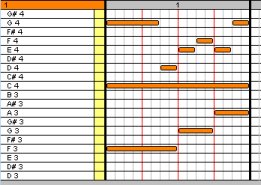
- You can
edit the notes graphically as on a piano roll editor.
Music notation is adapted accordingly on the staff.
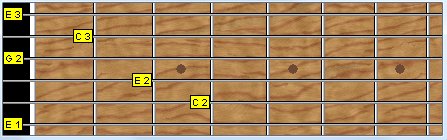
- Enter the
notes with the help of a guitar fret board window,
showing the name of the notes.
Fast entry of notes
- Using this
entry mode, you can select the rhythmic value of a note
just by moving the mouse to the right for longer duration
or to the left for shorter duration.
- You can
encode simple music with only the mouse. There is no need
to select tools on a palette or to use the keyboard.
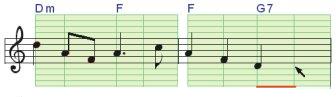
- A similar
mode is used to enter the notes of an existing chord
progression, on one staff. A simple but powerful note
entry mode to translate chord symbols into real notes.
Clef, key and time signatures
- You can use
all clefs (G, F, C, percussion), standard or transposed
(8). Change the clef anywhere in the score.
- Select the
key signature (number of flats or sharps at the beginning
of the staff) and change it anywhere in the score.
- You can
transpose the score from one tone to another, just by
changing the key signature or by selecting an interval.
- Specify the
number of beats of the measure with the time signature
(4/4, 3/4, 6/8,...) and change the time signature
anywhere in the score.

- Create
composite time signatures (3+4/8), advanced key
signatures (mixing flats and sharps), free measures (with
no time signature), multi-measure rests, and customize
the measure appearance and content.

Chords, text and lyrics
- Add chord
symbols and convert them automatically to notes on the
staff.
- Add a
title, the composer name or any free text associated to a
page or a measure.
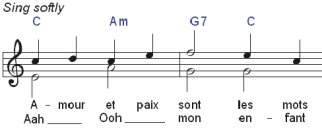
- You can
enter the lyrics just by typing in the text syllables and
Pizzicato will place them nicely centered on the notes,
up to 8 lines of lyrics.
- You can
even copy the lyrics from the text of another program
(Word, Open Office,...). You can adjust the position of
lyrics and change the font, size and color of each line.
Page layout of the score
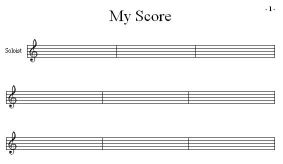 Adjust the page layout, customize
the number of measures for each staff or more generally,
layout the music as you want it to look on the page.
Adjust the page layout, customize
the number of measures for each staff or more generally,
layout the music as you want it to look on the page.
- Add page
and measure numbers, brackets, instrument names, bars and
repeats.
- Specify the
global printing size.
Other notation features
- Assign
colors to notes, based on the note names, the pitches, or
individually.
- With an
existing chord progression, you can intuitively design a
melody.
- Pizzicato
can display the score so that the notes being part of the
current chord are displayed in green, the notes of
the associated scale are displayed in orange, and the other
notes are displayed in red.
- With this
system, green notes are the
strongest notes for building the melody, orange
notes may often be used as passage notes and red notes should be
avoided, except for rapid chromatic passages.
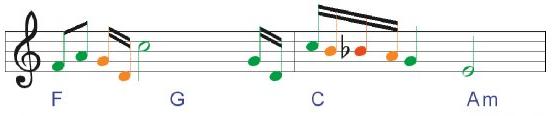
- It becomes
easy to design a melody on a chord accompaniment, because
the note colors help you to select the best notes.
- You can
test and try many possibilities by moving the notes or
changing the chords and seeing the note colors being
adapted.
Playback of the score
Playing the score
- While
entering or editing the notes, you can hear them.
- You can
play the full score or any part of it, starting at any
measure. You can even play a section in a loop and still
continue to edit the score while Pizzicato is playing it.
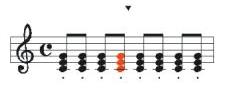 You can watch the notes colored
as they are played.
You can watch the notes colored
as they are played.
- The
playback takes into account the tempo, accents, nuances,
and special effects.
- Select the
sound you want for the score.
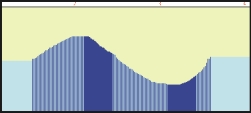
- Add sound
effects by drawing a curve in the effects view, for
instance to add the precise shape of a glissando or a
crescendo.
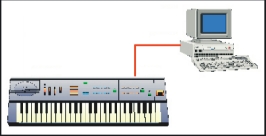
- If you have
a MIDI synthesizer, you can connect it to the computer
through a USB/MIDI interface and Pizzicato can play the
score by using the sounds of your synthesizer.
Audio track
- You can add
one audio track and synchronize it with the score.
- You can
record an audio track to add an acoustic instrument,
voices or sound effects.
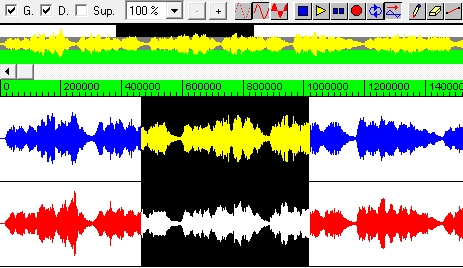
- With the
audio editor window, you can directly edit audio tracks.
Operations like copy, paste, mix, echo, fade in &
out, insert, remove, time inversion, and many others are
available to edit the sound itself.
Quality sound library
- Pizzicato
includes a licensed version of the PapelmediaTM Sound
Library, with 1.2 GB of audio samples for a realistic
sound rendering of your music. This library is not
included with the demo version, but you can listen to mp3
samples made from that library at www.papelmedia.de/english/mp3.htm
- You can
assign these sounds to your composition.
File exchanges
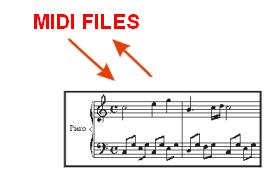
- You can
create a standard MIDI file from any Pizzicato score and
import MIDI files from the Internet or from any other
music software and edit or print the score, with one
staff.
- You can
also export MusicXML files to exchange music scores with
other music software.
- You can
export a page or a few measures to a graphic file (BMP)
and use this image in a word processor or graphic
software.
- You can
create an audio WAV file from any Pizzicato score, using
the full quality of the integrated library. You can
create an audio file for the full composition.
- You can use
these audio files to create a CD with your music
compositions.
Your Advantages - Why Choosing Pizzicato?
- Whether you
are a beginner or professional musician, Pizzicato offers
you an easy and user-friendly approach
to creating music with a computer.
- The music
course and software tutorials do not require any music or
computer knowledge. They are surprisingly simple to read
and apply. It contains a full music theory course, with
many examples that combine with the discovery of the
tools to enter music. You can then directly apply what
you learn in practice. With it, you will be able to
understand music notation.
- The step by
step tutorials show you how to write a score, with many
examples. You learn how to use each tool so as to be
efficient and save time.
- Pizzicato
offers free and unlimited technical support
through the Internet or email for any question you may
have while installing or using Pizzicato.
- You can
always email technical support from the editor of the
software. This guarantees clear, efficient and customized
answers within 24 hours during business days.
- A user forum,
a database of frequently asked questions (FAQ)
as well as many tutorial videos are also
available through the Internet site 24/7.
- When you
buy Pizzicato, you are entitled to receive two
free major upgrades of the software, by
download.
Get
Pizzicato Soloist today
and enjoy its features
for your musical activities!